Run the demo
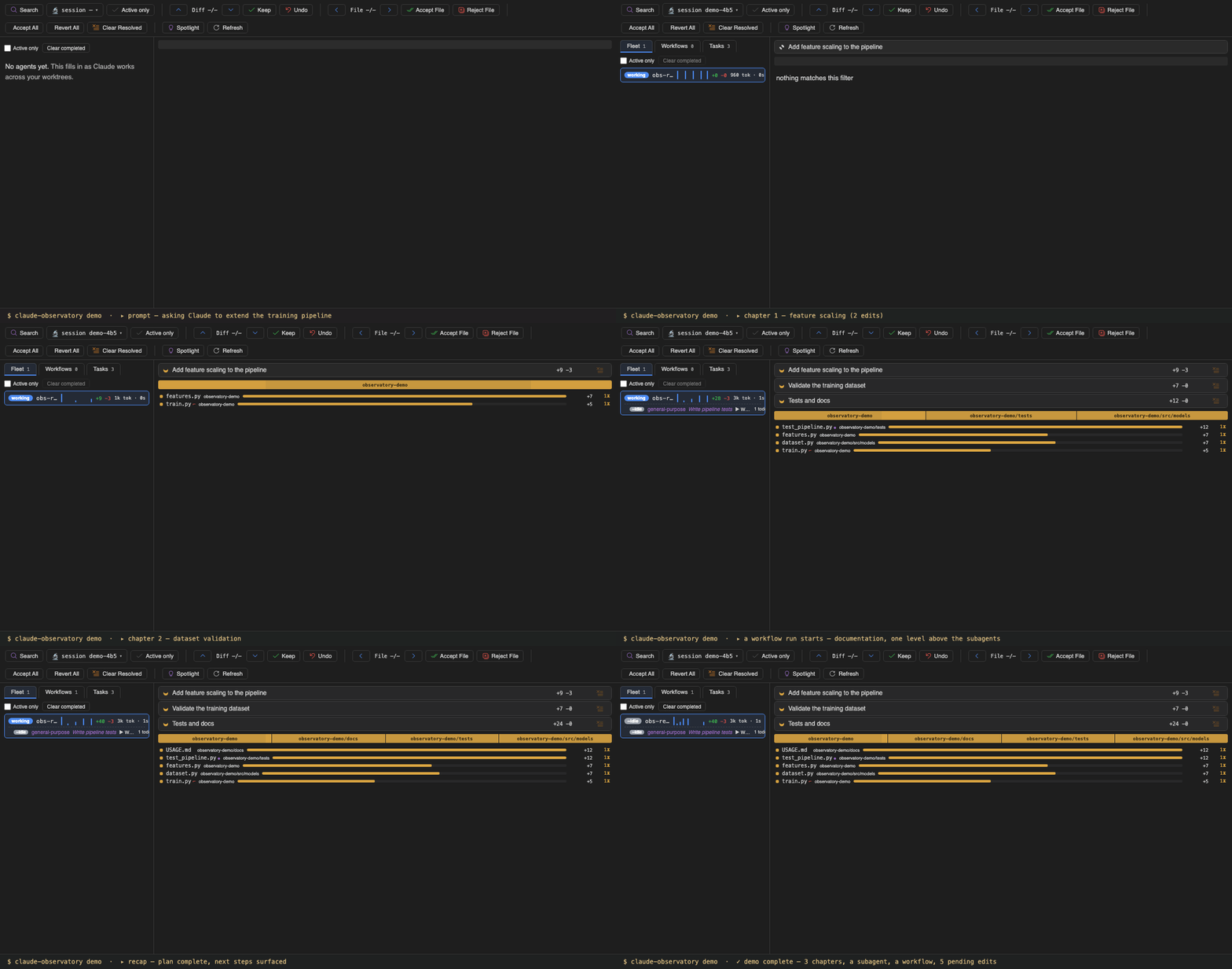
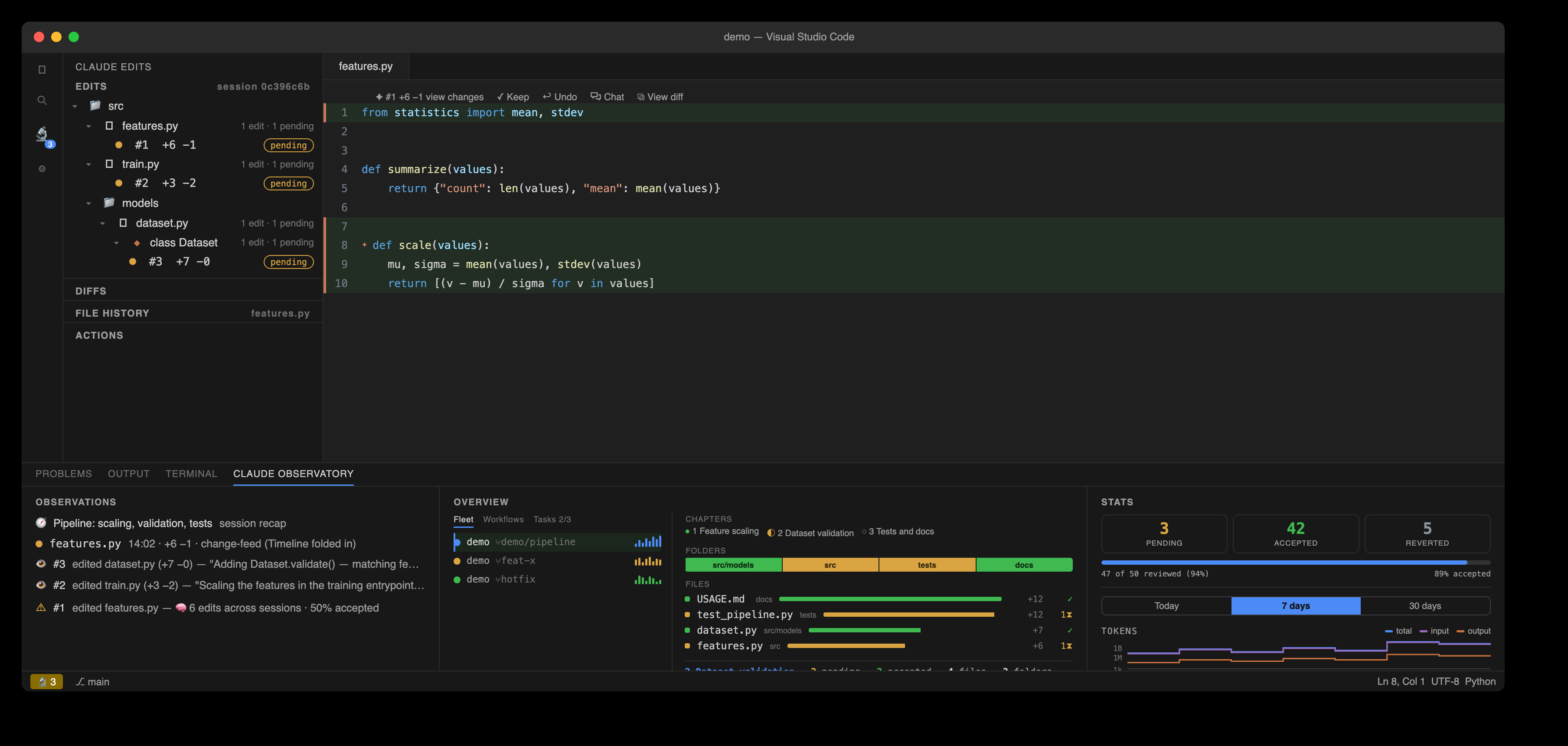
claude-observatory demo replays a scripted session through the real pipeline — a real transcript, with edits captured by the real hooks — inside an isolated demo-* session and an observatory-demo/ folder. Claude plans three to-dos and the Overview turns them into chapters: each edit lands under the goal it served, the module strip and file ledger update live, and the fleet row on the left tracks the agent's phase and ±lines. Everything shown is derived from the transcript and the capture hooks, at zero extra tokens.
Subagents and workflows
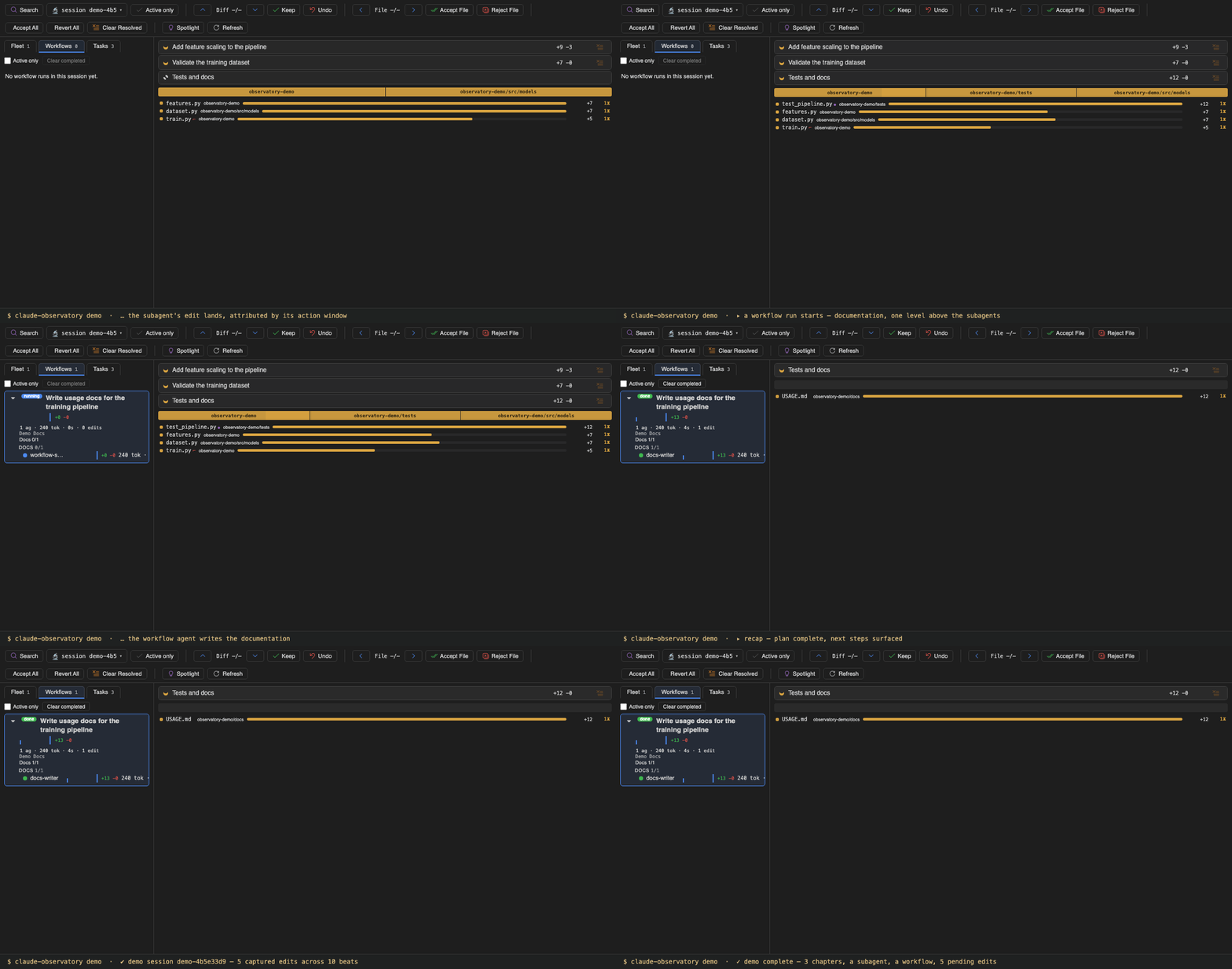
Mid-session, Claude delegates the tests to a subagent. It appears nested under its parent in the Fleet nav with its own phase, current task, and ±lines, and its edit is attributed to it by its action window rather than guessed. A workflow run then starts an agent one level above the subagents: the nav focuses the new run, shows it running, and on completion lists its phase groups, per-agent tokens · time · edits, and the run's own change-map slice — its chapters and files — on the right.
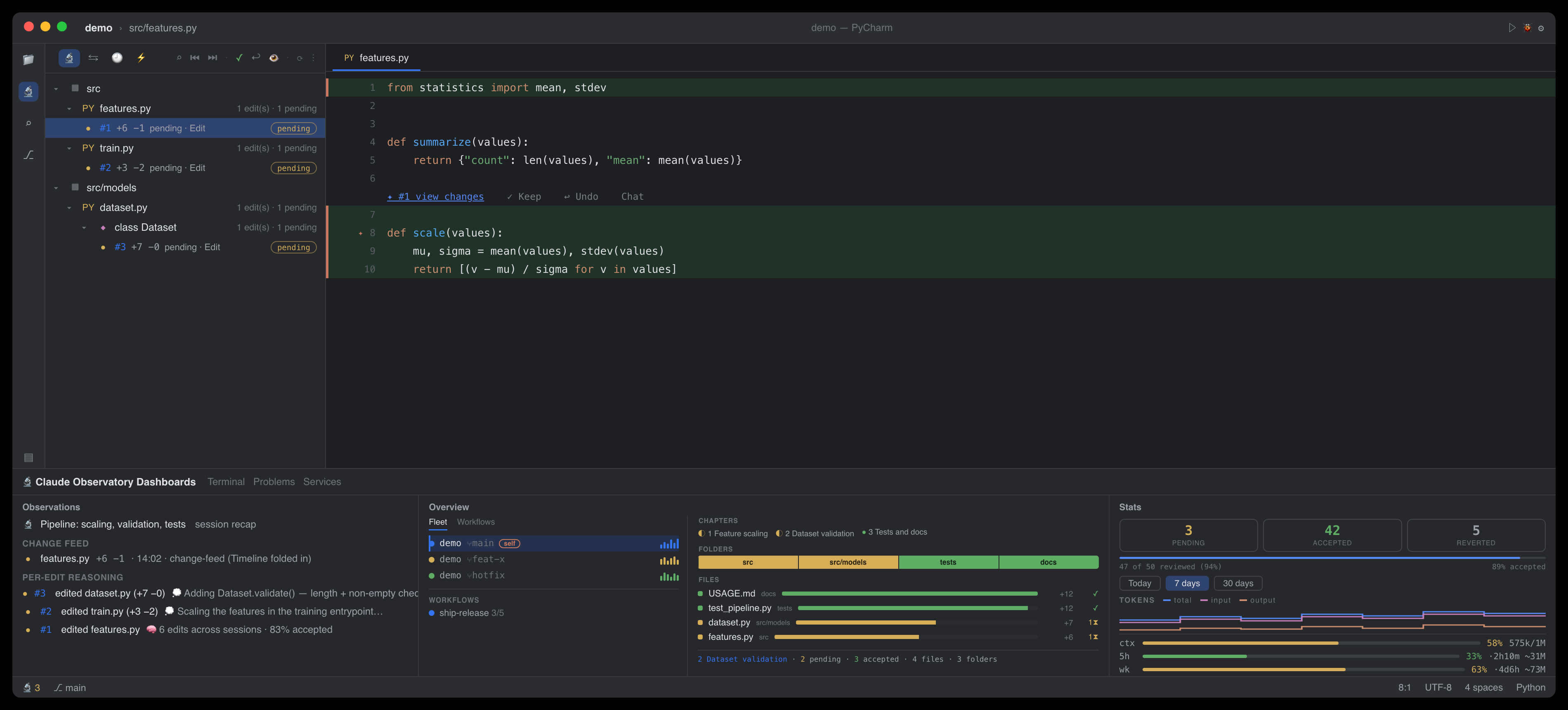
The same session in JetBrains IDEs
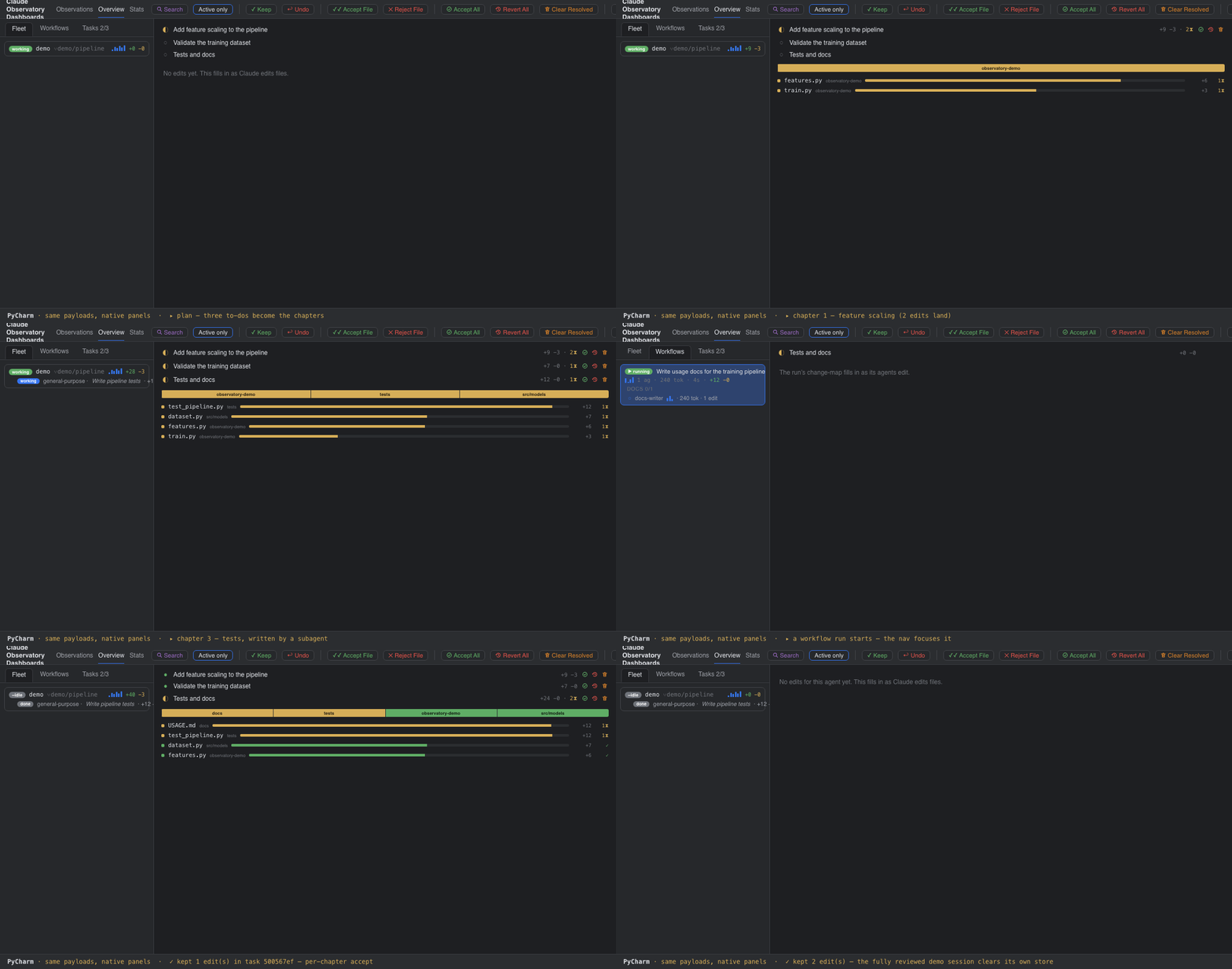
The JetBrains plugin renders the same multitask and changemap payloads in native tool windows: the Fleet and Workflows nav, the chapter rows with their per-chapter ✓ ↩ 🧹, the module strip, and the ledger. Every rollup is computed once in core and rendered as given, so both editors show identical numbers.
Review by chapter
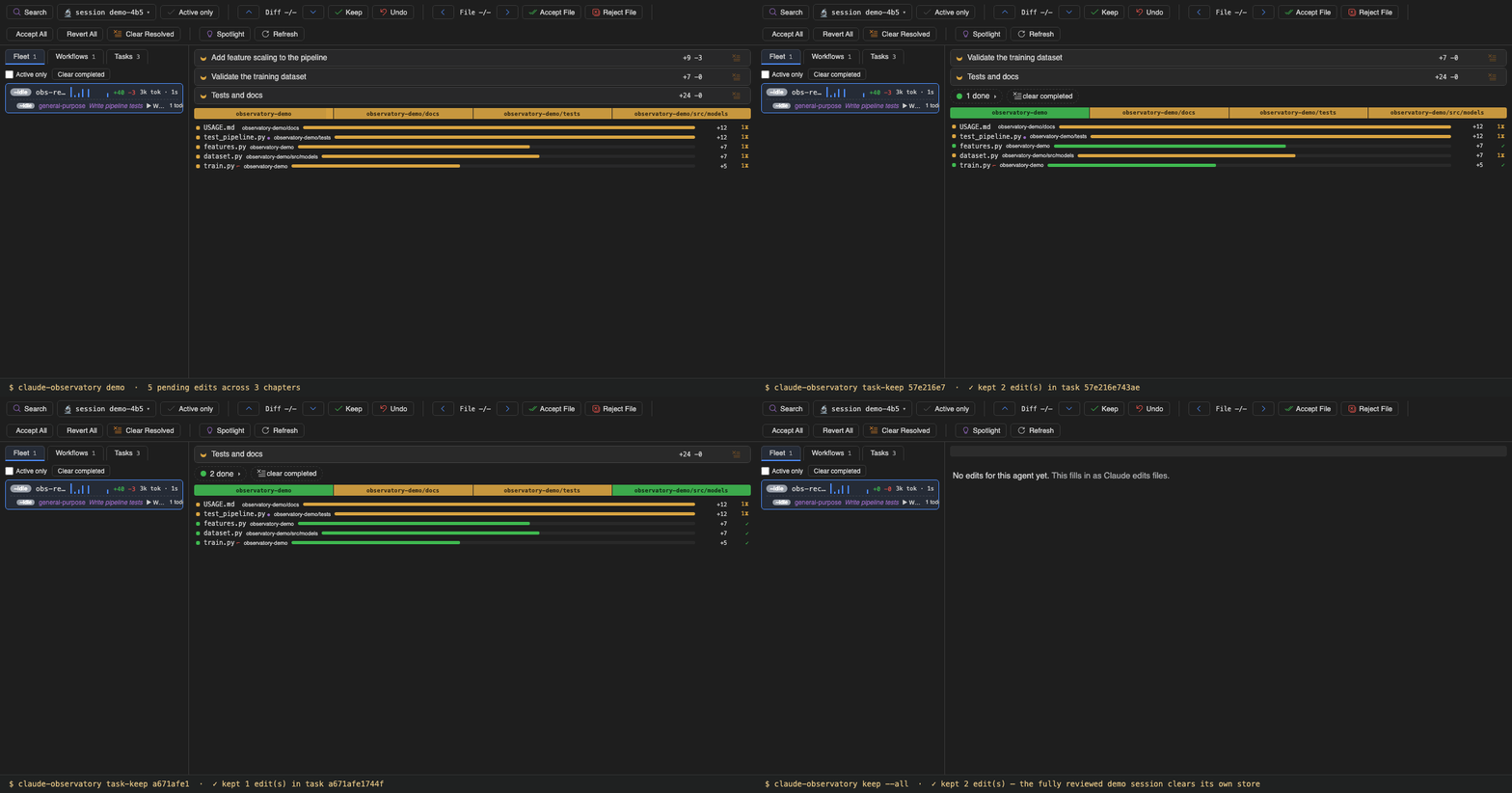
The demo's edits are real store records on real files, so the review works normally. Each chapter's ✓ accepts exactly the edits its row shows: accepting the first two chapters settles their rows while the third stays pending. Reject works the same way, conflict-guarded per edit, and clicking a chapter scopes the toolbar's bulk actions to it. A fully reviewed demo clears its own store, and claude-observatory demo --clean removes the session, the store, and the demo folder entirely.
Working with real sessions
Run claude-observatory init once, with Claude Code closed, and every later session is captured automatically — the same chapters, fleet, workflows, and review as the demo, in the 🔬 Claude Edits sidebar and the Claude Observatory panel in both editors. Sessions running in several git worktrees are unified into one fleet in the Overview, live conflicts included (in the Actions view); the Active only toggle narrows the list to work still in progress.
Command-line usage
The claude-observatory CLI is a first-class front-end over the same store; the quick reference below covers the common commands. For more detail, see the full walkthrough, every surface in Features, and every control by name in the Panels reference.