OAK

Observe · Audit · Keep

An Observatory for Agentic Development

Coding agents change code faster than anyone can read it, and a change accepted without being understood is a liability for you, not the agent's provider. The observatory is built for established and mission-critical codebases rather than throwaway prototypes: it records every edit an agent session makes, through local hooks that cost no tokens. You review at the scope that fits the work, by several abstractions over what the agent changed for a given prompt. Every edit keeps its own diff and its own conflict-guarded undo, so reverting one leaves the others standing. When several agents work at once — subagents, workflow runs, sessions in parallel git worktrees — their work does not blur together: every edit is correlated back to the agent that made it. Everything stays local and git-free, and one store serves the terminal, VS Code, and JetBrains IDEs.

git-free · zero extra tokens · terminal + VS Code + JetBrains
The gap

Interpretability at crunch time

A backlog of changes reviewed at the end of an agent's session creates a bottleneck, moving the work of verifying and evaluating every change onto the reviewer at once, after the context that produced them is gone. Existing tools address parts of the problem: usage meters count tokens, log viewers replay a session, editor assistants and Claude Code's own /rewind roll back to a checkpoint, and orchestrators launch fleets of agents and present each branch as one diff to merge. A checkpoint is coarse — it reverts a whole turn rather than one edit, does not track the files a shell command changed, and clears when the session ends. The observatory records each edit instead, tracing each action back to the chain of thought the model recorded for it.

What sets it apart

From one edit to the whole trace

Interactive demo

The full panels, step by step

Auto-playing — click ❚❚ to pause
src/features.py
Observatory Dashboards
Overview
Sessions 1Workers 1Workflows 0TasksProcesses
Stats
🔬 demo-session
Edits
0
pending
0
accepted
0
reverted
0 of 0 reviewed
Session tokens
0
input
0
output
0
cached · — hit
Tokens
Today7 days30 days
Usage
ctx12%
5h34%
wk61%
The terminal app

The whole observatory, in your terminal

The same review lives in oak, in three tabs: herdr runs your terminals and agents, on this machine and on saved ones; the Observatory lists every session by machine and workspace beside its pinned conversation, workers, tasks and captured edits; and Review decides the edits. This replays the current terminal renderer on the bundled demo’s captured history.

Feature tour

Everything it does, on every surface

Inline in the editor, across the panels, in the terminal, and in both editors — every surface OAK gives you, at a glance.
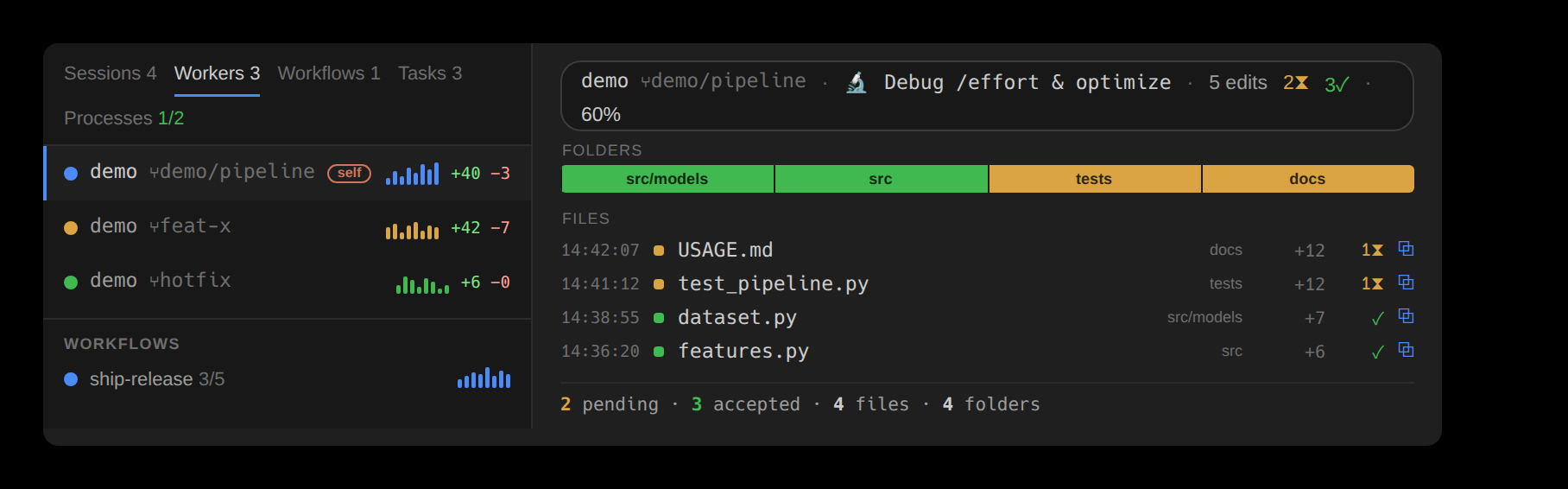
The master-detail Overview: Sessions, Workers, Workflows, Tasks, and Processes in the left nav; the selected session's change map on the right
Overview

Every agent and its changes live in one master-detail panel — pick a session, agent, or prompt, and its change map fills the right.
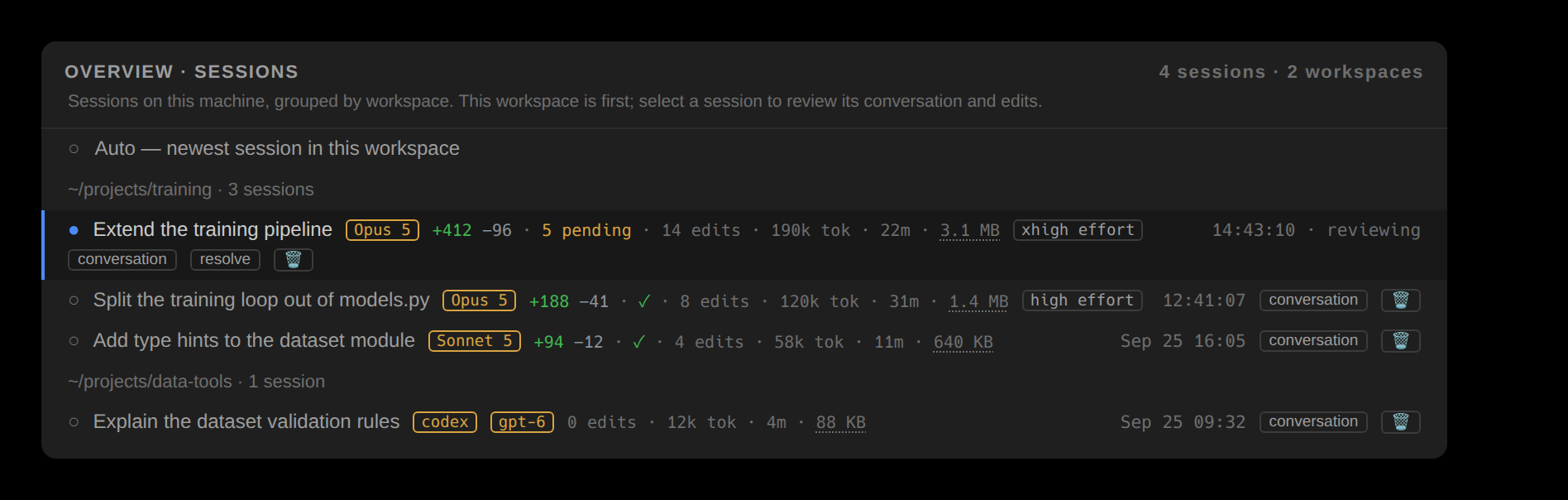
The Overview's Sessions tab: sessions grouped by workspace, each row with its title, model, line counts, pending edits, tokens, duration, store size and last activity, and its conversation, resolve and delete buttons
Sessions

Every session on the workspace's machine, grouped by workspace — its title, model, tokens and store size. Pick one and every panel follows.
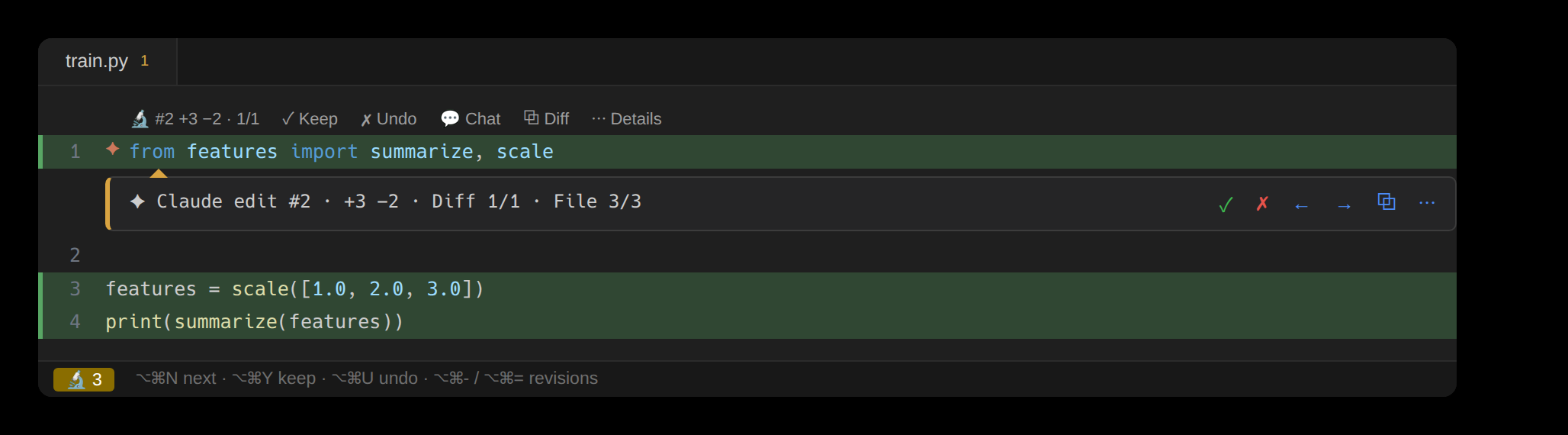
Inline review: a tinted pending edit with a marker and Keep/Undo actions in the editor
Inline review

Pending edits appear in the editor itself — a tinted line, a gutter star, and a lens with Keep, Undo, the diff, and the way to the full review.
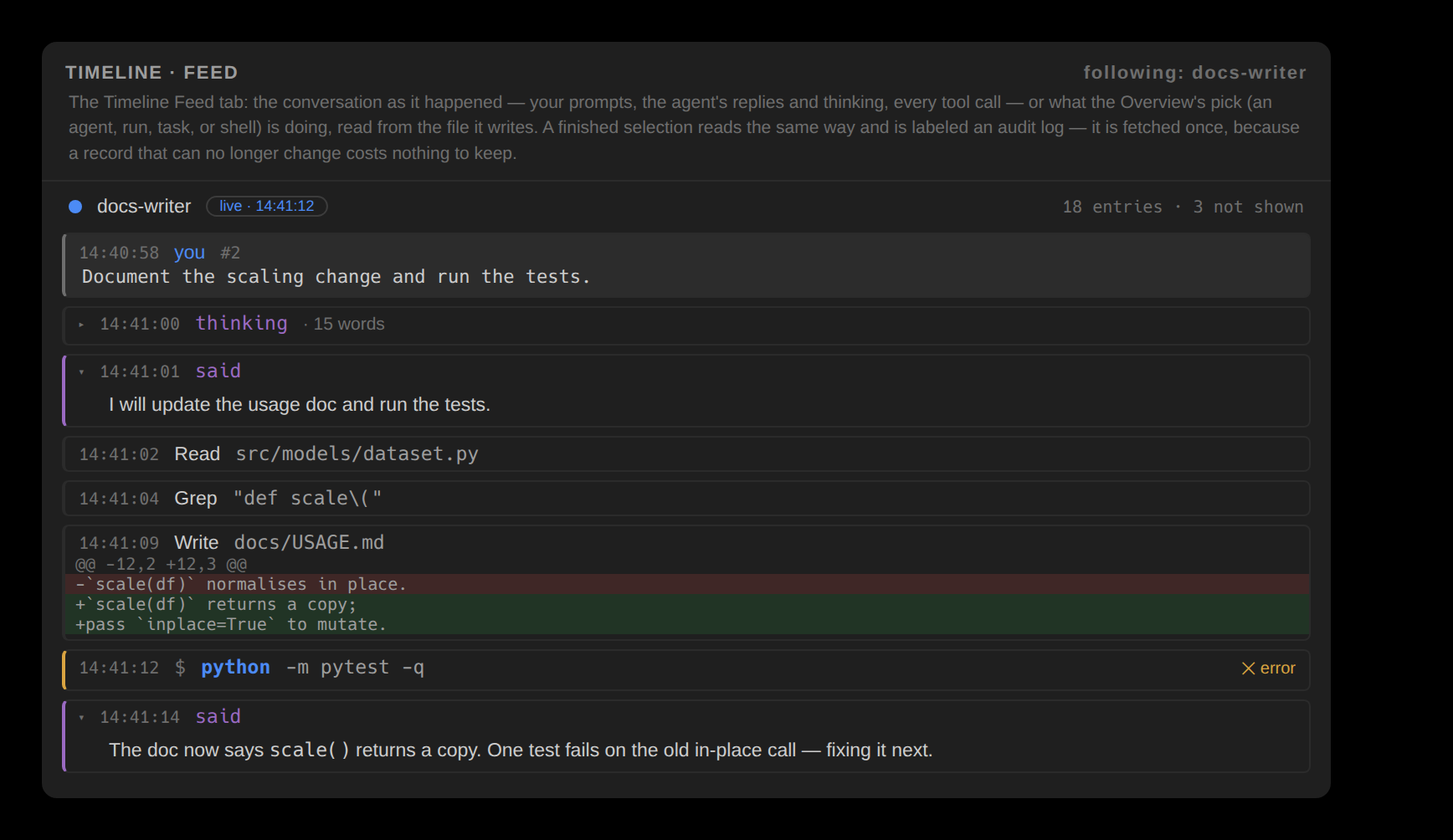
The Timeline's Feed tab: a prompt on a grey band, the agent's reply and a folded thought, then each tool call with its time, a shell call as a command, and an edit's diff as background bands
Feed

The conversation as it happened — your prompts, the agent's replies and thinking, and every tool call with the diff it produced.
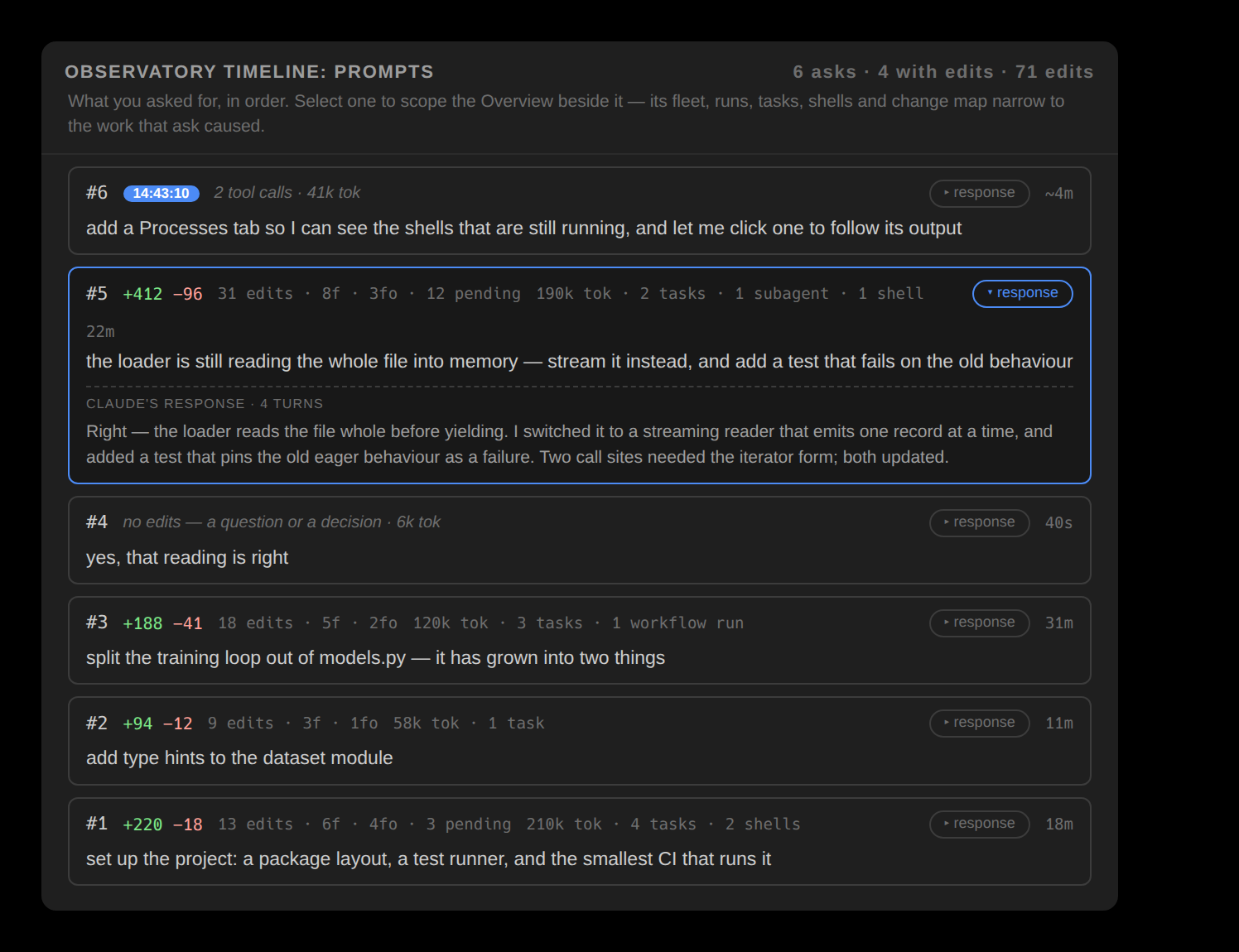
The Prompts window: one row per prompt with its response expanded
Prompts

The session reads as the conversation you had, one row per ask. Select one to scope everything beside it.
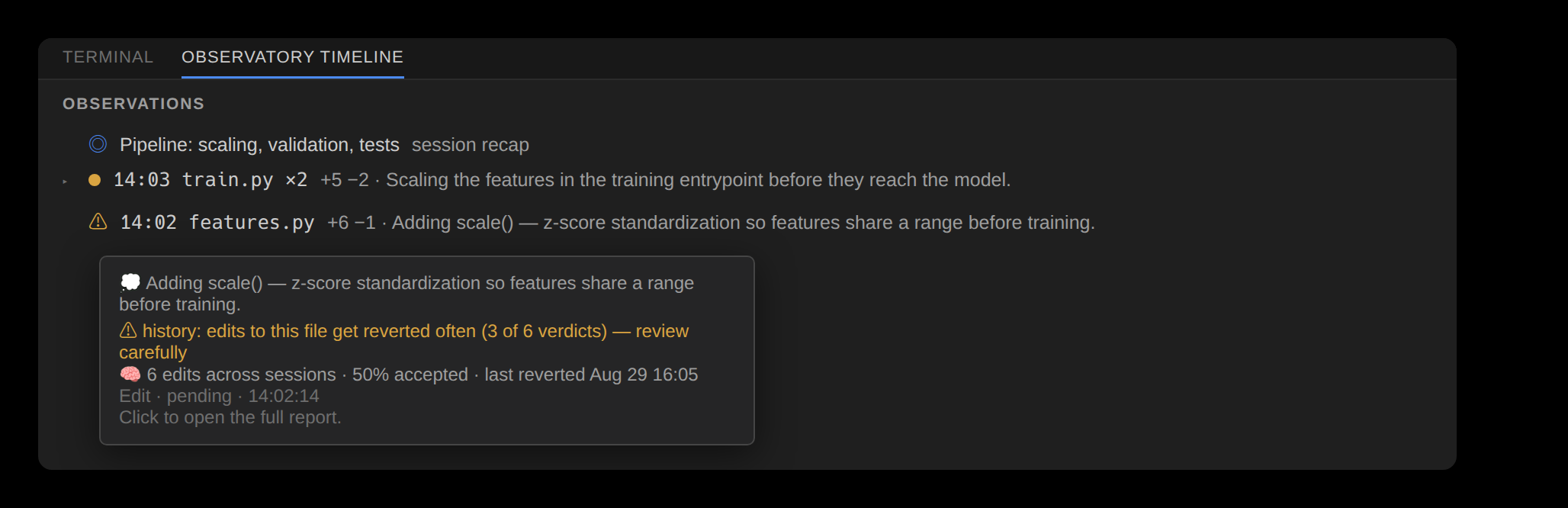
Observations: files by recent activity, each with the agent's own reasoning
Observations

Observations pair the change feed with the agent's own reasoning, parsed from the transcript at zero tokens.
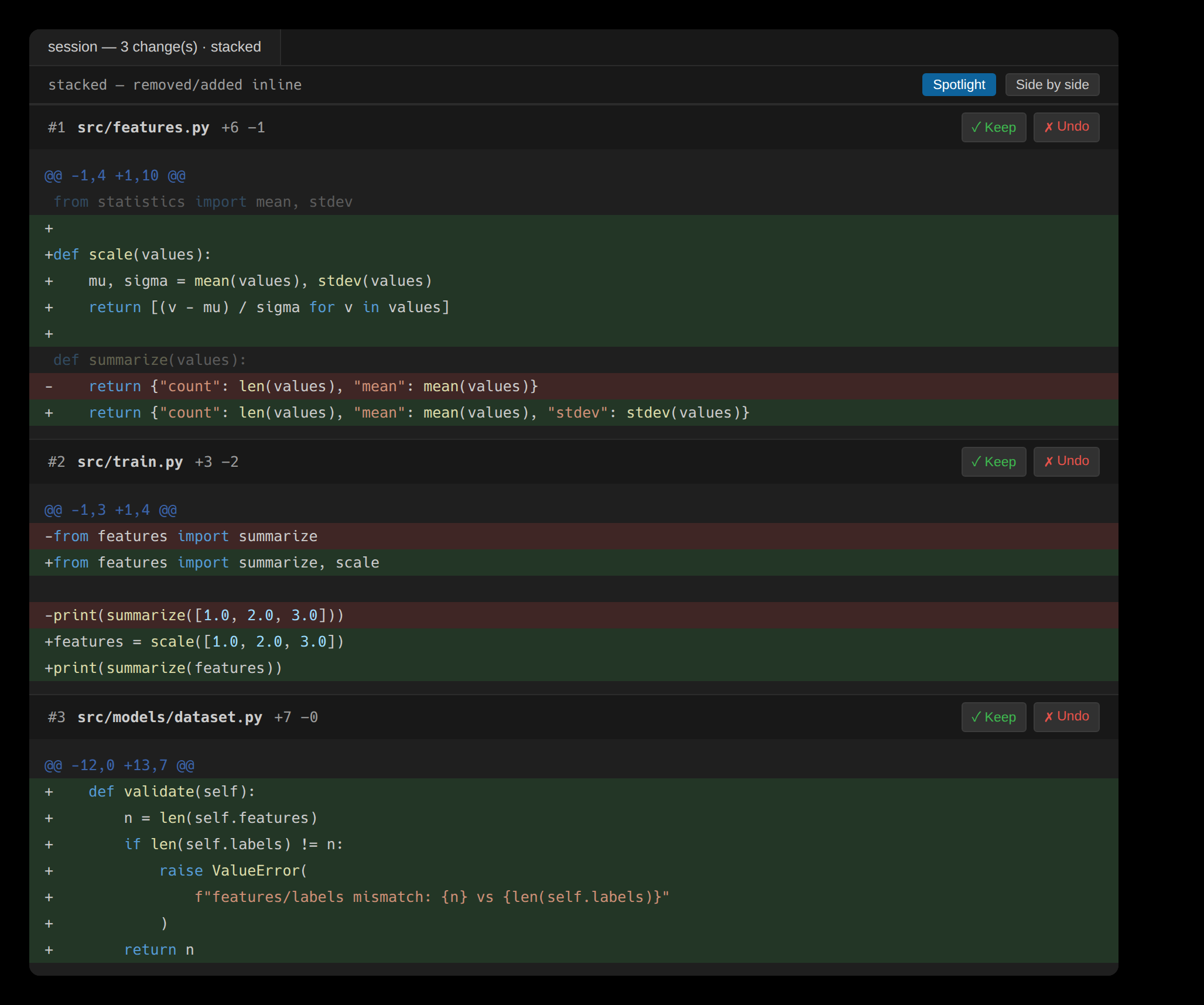
The stacked diff view: every pending edit's diff in one scroll, each with its own Keep and Undo
Per-edit diffs

Every edit gets its own diff, stacked into one scroll — each with its own Keep and Undo, not one session-wide tangle.
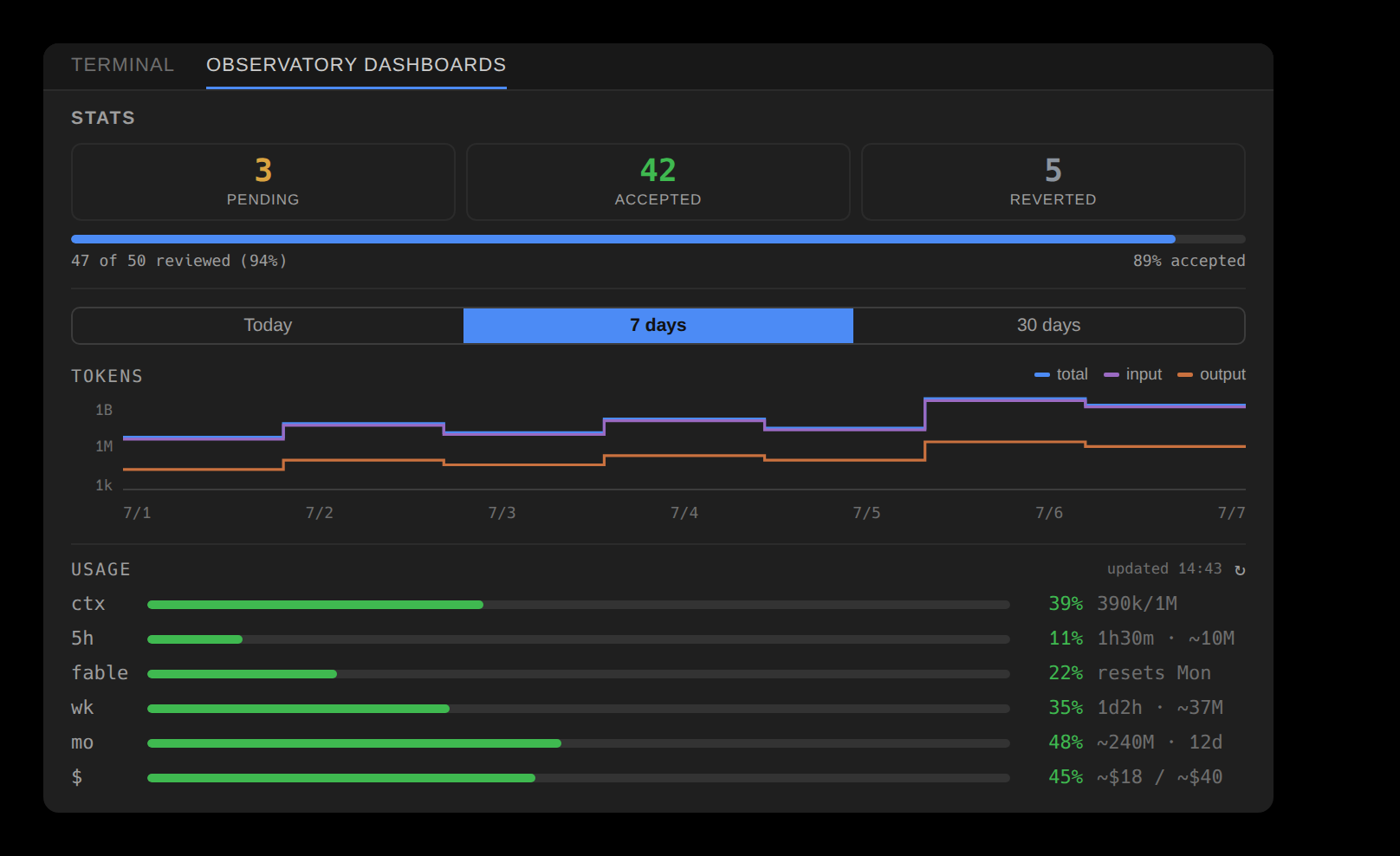
Stats: the review scoreboard, token plot, and usage bars
Stats

The review scoreboard — pending, accepted, reverted — sits over token and usage plots.
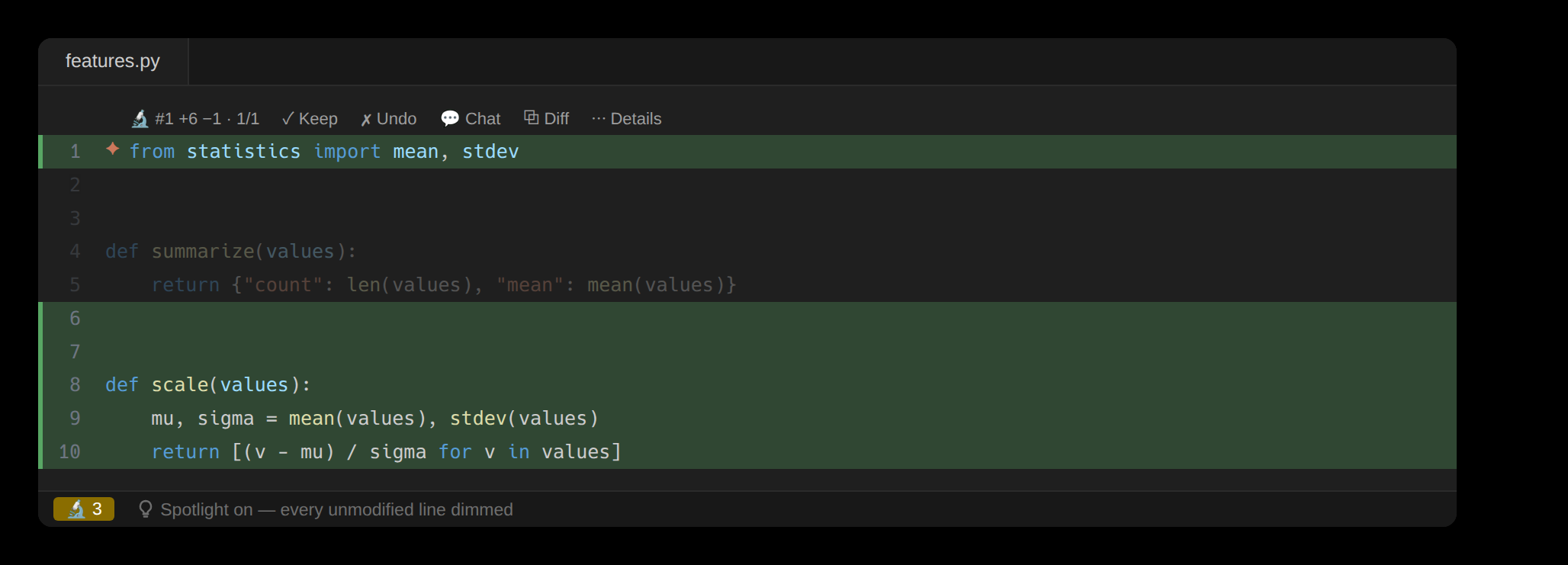
Spotlight: unmodified lines dimmed so the agent's edits stand out
Spotlight

Spotlight dims every line the agent didn't touch, so the changes read at full contrast.
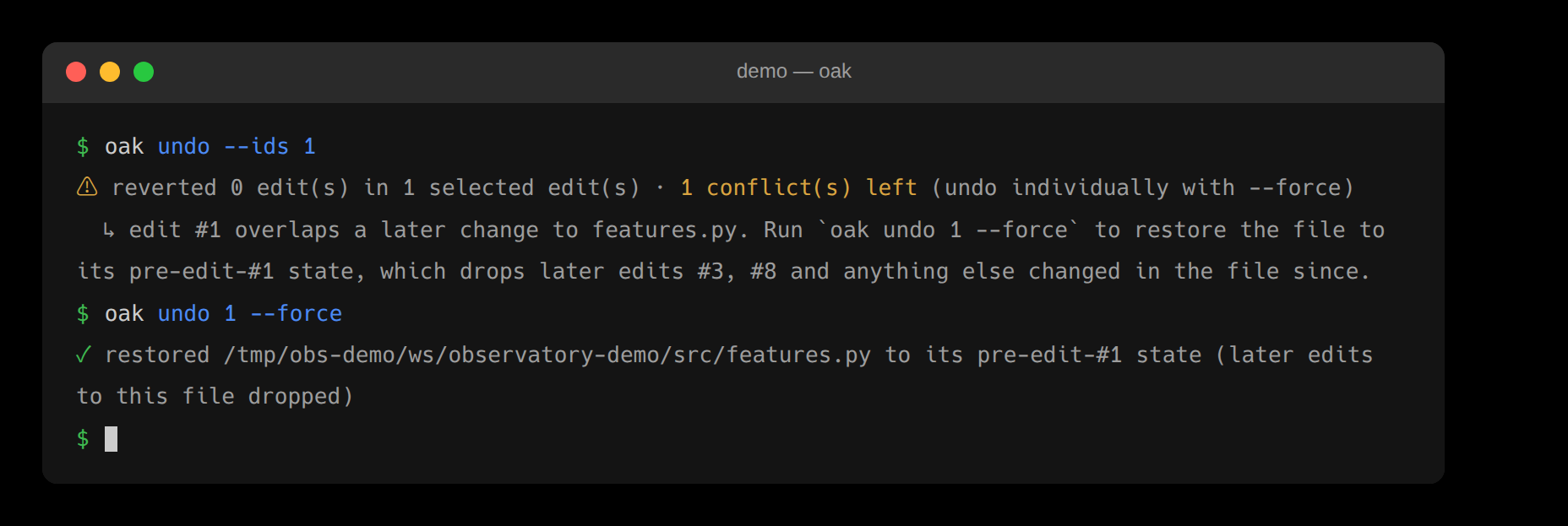
Conflict: undo halts and surfaces the clash rather than guessing
Conflict handling

Edit the same lines and the undo stops — surfacing the clash instead of overwriting your work.

Risk · Egress
• HIGH rm -rf build/ forced delete
• MED  sudo make install elevated
Egress 5 destinations · 2 remote
  outside ~/.claude/CLAUDE.md
Risk & egress

Two audits cover what ran that could harm and everywhere the session reached off-machine.
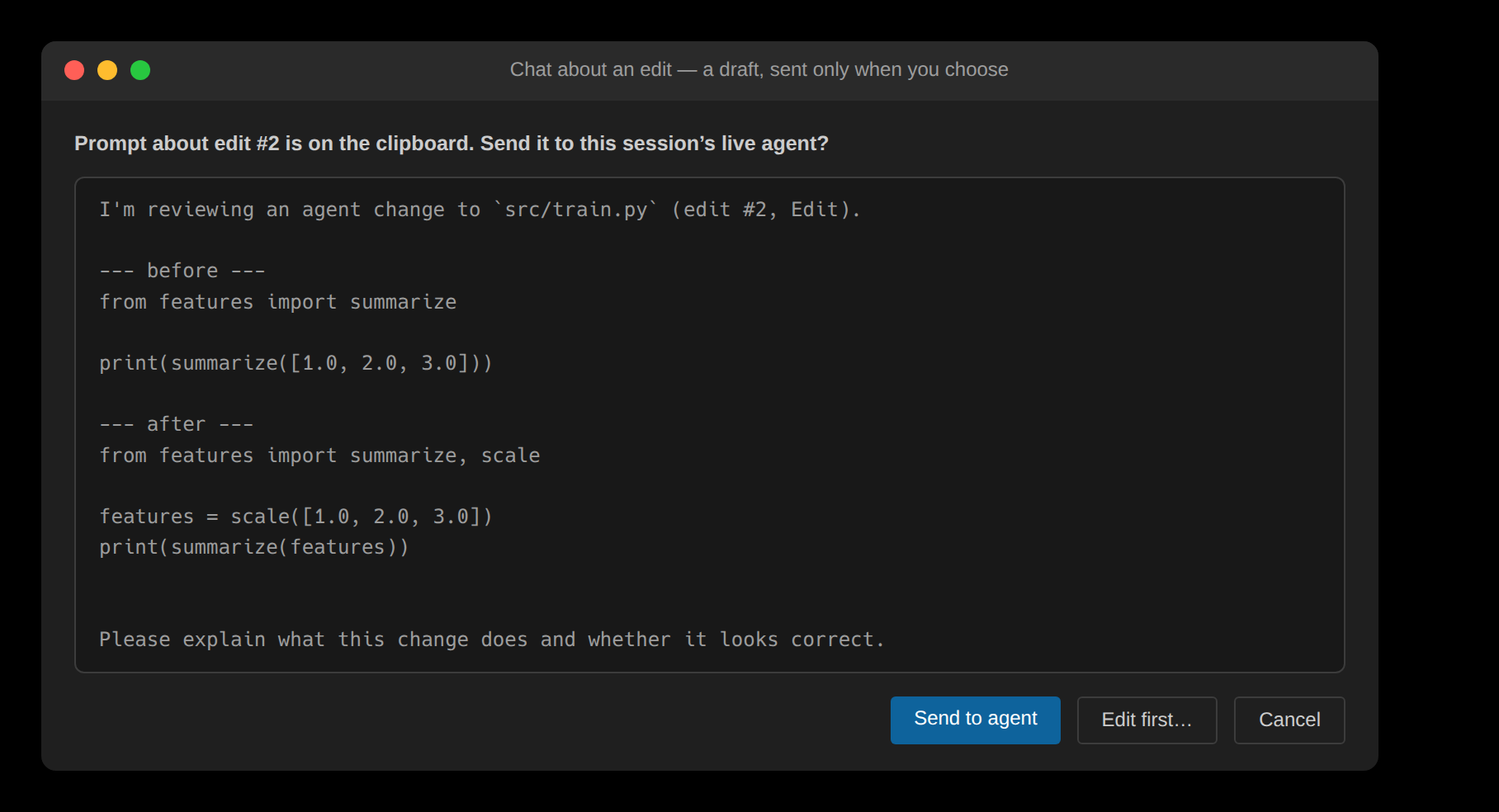
Chat handoff: a context-preloaded prompt about one edit
Chat handoff

One click builds a context-preloaded prompt about an edit — a draft on the clipboard, sent to the session's agent only when you choose.
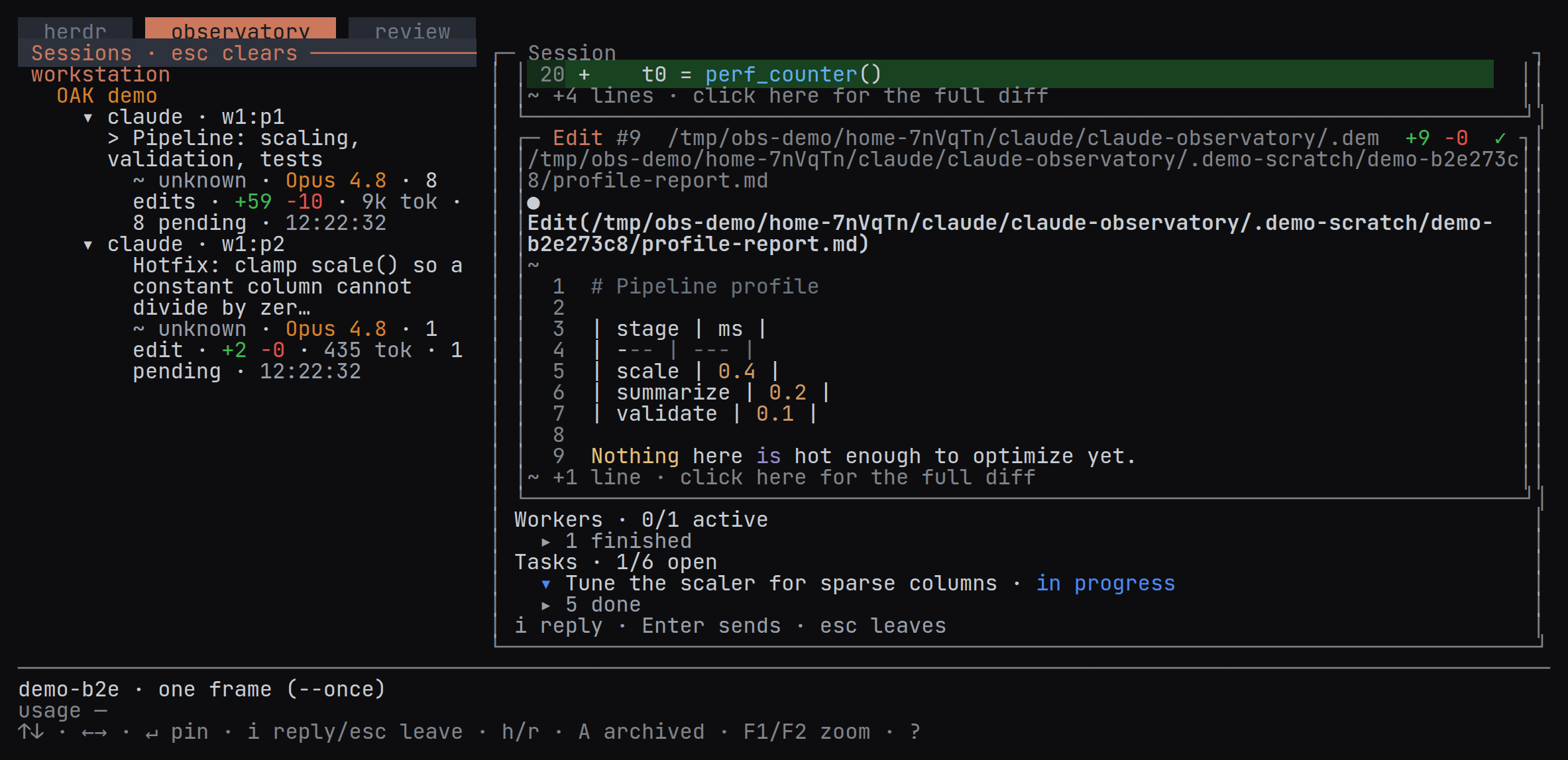
The terminal app's Observatory tab: sessions by machine and workspace on the left, the pinned conversation with its tool calls, workers and tasks on the right
The terminal app

herdr, the Observatory and Review in one terminal — your agents in herdr panes beside a live view of every session.
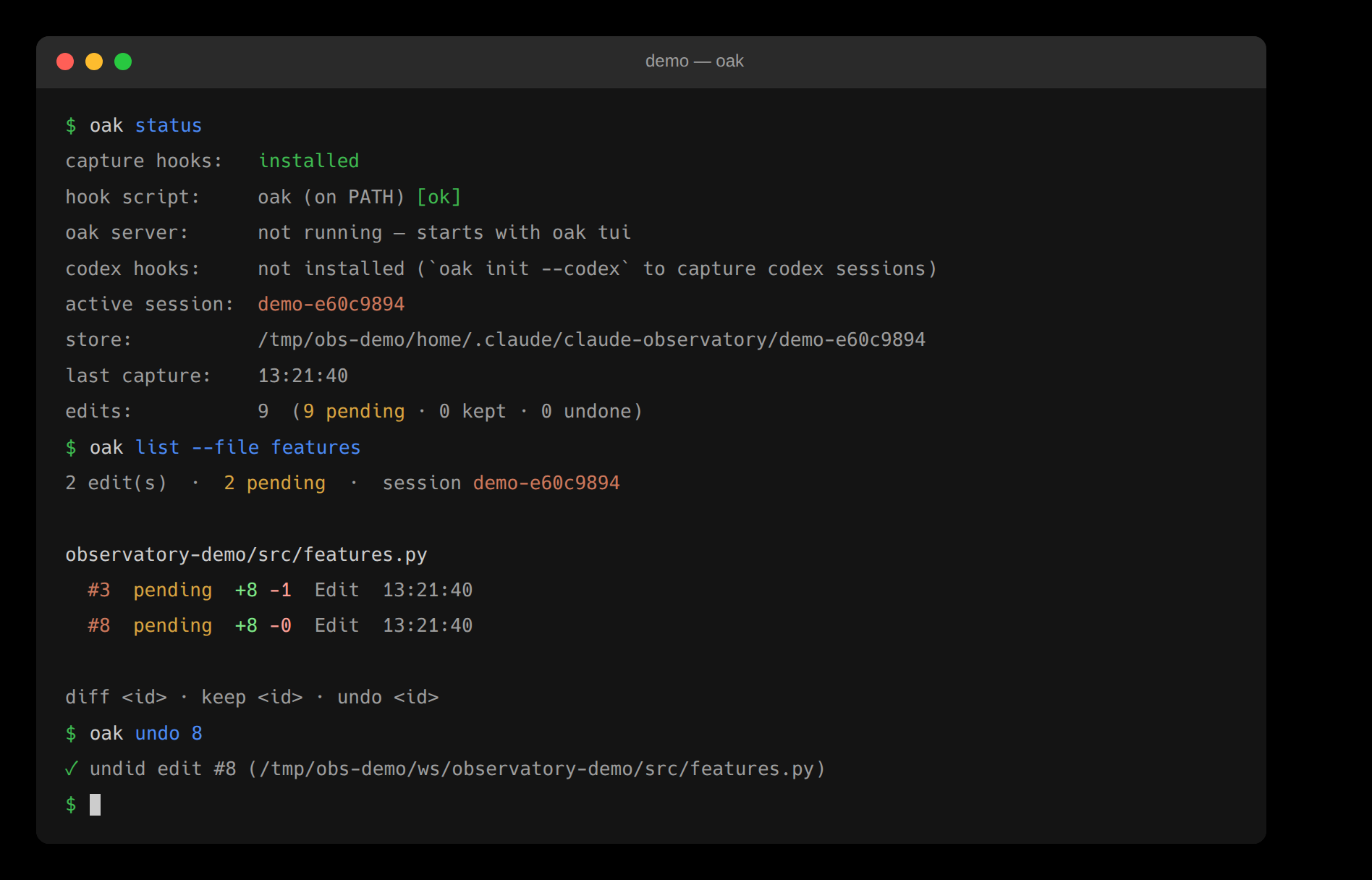
The CLI: reviewing the agent's edits from the terminal
The CLI backend

One backend serves every surface — and every view is a --json command.
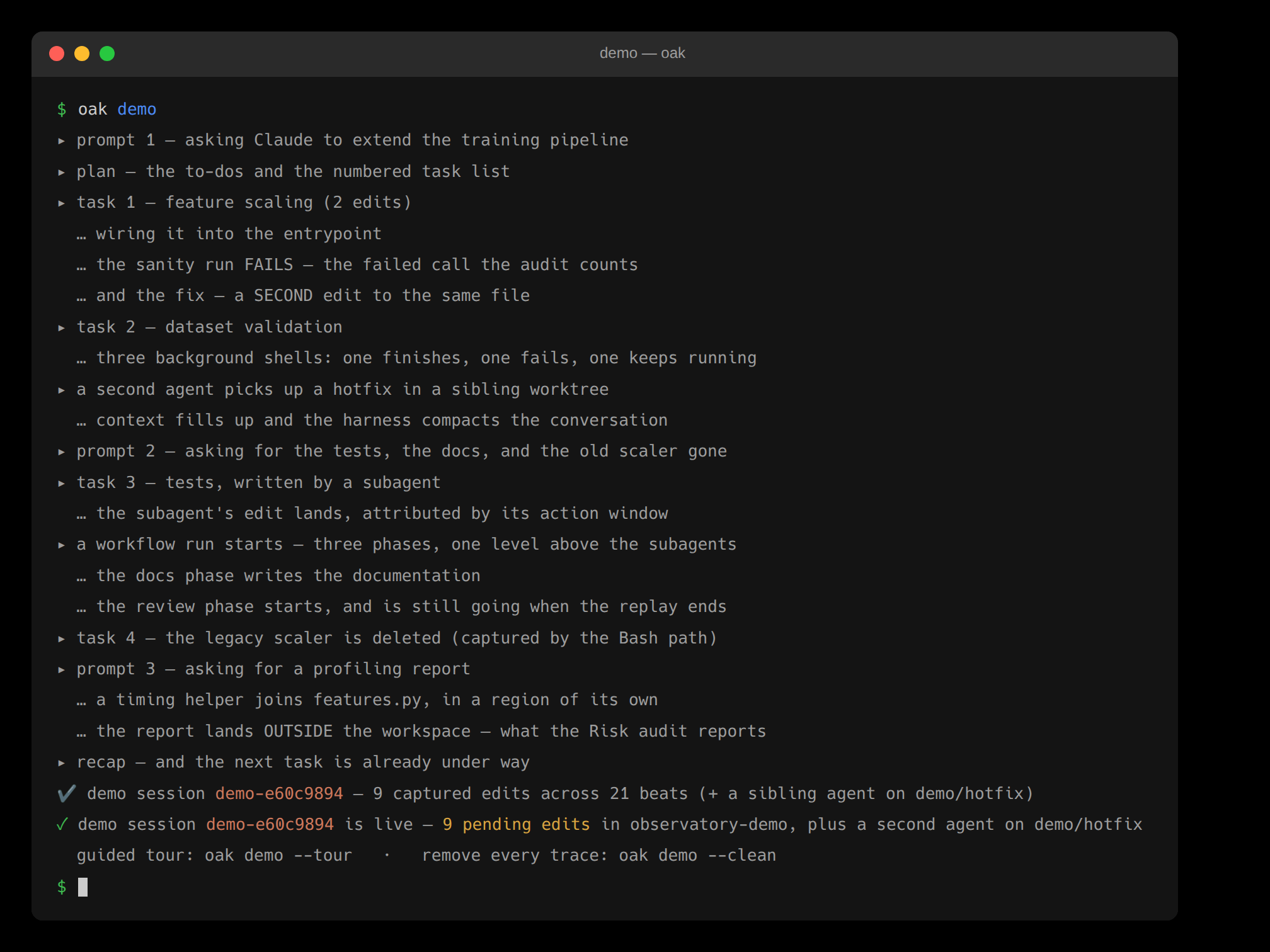
oak demo in a terminal: the simulator narrates each beat and ends with nine pending edits and a second agent on demo/hotfix
Built-in demo

oak demo replays a scripted session through the real capture pipeline — every panel fills in live.

See each surface in depth in the docs.

Install

One-command install

Install once, run Claude Code, and every edit is captured for review.

$curl -fsSL https://raw.githubusercontent.com/cell-observatory/oak-observatory/main/scripts/bootstrap.sh | bash

macOS and Linux — and Windows from Git Bash.

PS>irm https://raw.githubusercontent.com/cell-observatory/oak-observatory/main/install.ps1 | iex

The Windows installer runs in native PowerShell without bash or WSL. Either installer installs the CLI, then the extensions for whatever editors are on the machine (VS Code family and/or JetBrains), then herdr, the terminal backend, at the version OAK pins. To follow the rolling pre-release, a piped script needs its arguments passed through: append -s -- --channel dev to the bash line, or run the PowerShell one as & ([scriptblock]::Create((irm <url>))) -Channel dev. On Windows the bundled status line needs Git Bash and jq.

OAK needs Node.js 20 or newer, and python3 on Linux and macOS. On Linux, npm compiles node-pty for the terminal app’s herdr tab, which needs make and a C++ compiler, and npm 12 runs that build only with --allow-scripts=node-pty; the installers pass it for you. To install the CLI by hand, download oak-observatory-X.Y.Z.tgz from a release, then run npm install -g --allow-scripts=node-pty ./oak-observatory-X.Y.Z.tgz and oak doctor --fix.

herdr is required on every platform. Windows support for herdr-backed pane listing, replies and agent start is untested in this release; Windows-on-ARM has no herdr build. oak machine add targets must be POSIX hosts.

Coming from claude-observatory 0.9.5? It is now OAK, and its own updater cannot cross the rename: run the install command above, which removes the old package first, then quit Claude Code and run oak init, which moves the capture hooks to the new command. The old command keeps working as an alias of oak. Upgrade notes.

Then look around with no agent session at all: OAK: Start Demo Mode from the VS Code command palette or JetBrains Find Action, or oak demo in the terminal. It replays a scripted session through the real capture pipeline and walks you through every panel; leaving removes every trace.

— or install via Claude Code —

Paste this into an agent session to install everything.

Install OAK for me — run its bootstrap installer, then `oak doctor`. The capture hooks only take effect on a fresh session, so afterward have me quit, run `oak init` in a plain terminal, and relaunch.

To update an existing install, re-run the command above or run oak update — it refreshes the CLI and both editor extensions (add --check to preview). Each editor can also self-update: VS Code offers a one-click Update now, and JetBrains auto-updates once you add the plugin repository. There are two release channels — stable, and a rolling pre-release of the dev branch — switchable from the version chip on the Overview toolbar or with oak update --channel dev.

Run it for real

The same session, in your editor

The bundled demo replays through the real capture pipeline, in your own editor, at zero tokens. It goes further than this page: three prompts, six tasks and nine edits, a second agent holding the same file, a workflow still running, and a guided tour that drives the panels for you — forty-two steps, or fourteen if you are short of time.

VS CodeOAK: Start Demo Mode

It is also available from the command palette, the ▶ on the Overview’s title bar, or Try the demo in the empty panel.

JetBrainsOAK: Start Demo Mode

It is also available from Find Action (⇧⌘A), the ▶ on the Overview’s toolbar, or the same empty-panel link.

❯oak demo

In the terminal — and demo --tour prints the tour as prose (--essentials or --remainder for either half). The tour plays itself; Next, Back or a step jump hands you the wheel. Exit Demo Mode removes every trace.

Installation first — see Install OAK.

Open source

License & credits

OAK is developed in the open by the Cell Observatory, licensed under Apache-2.0, with a Contributor Covenant code of conduct. It is built with and for Claude Code. Adjacent work informed its direction: claude-devtools on reading the on-disk transcript, ccusage and sniffly on local-first analytics, and the worktree-fleet tools (Conductor, claude-squad, vibe-kanban) on running agents in parallel. GitButler's hunk-dependency model and operations log informed the dependency-aware refusals and the reviewer's operation journal. The review model itself is convergent: Cursor, GitHub Copilot's edit mode and Zed's agent panel all arrived at baseline-plus-net-diff review, and their public behavior shaped the review-unit design; the per-language function detection follows git's own xfuncname tradition. The observatory adds the layer that observes them.