Feed
The feed streams what an agent is doing as it works, oldest first.
A feed is the activity of one thing — a session, an agent, a workflow run, a task, or a process — read live from the file that thing writes. When the thing stops, the same view becomes an audit log. It's the surface for watching work as it happens.
Where it lives
In the editors, the Timeline’s Feed tab is the one conversation surface: for the selected session it carries your prompts, the agent's replies and thinking, and every tool call, read from the native transcript; for a worker, run, task or shell picked in the Overview it carries that thing's own activity. In the terminal, conversation and activity are part of Observatory’s detail.
Live, then an audit log
While the source is still being written, the feed is live: it is polled, and its header stamps the exact time of the newest evidence rather than claiming real time. Once the source stops, the same view is an audit log — a record, not a stream — and polling stops. The distinction is honest: OAK never claims real-time when it is polling a file.
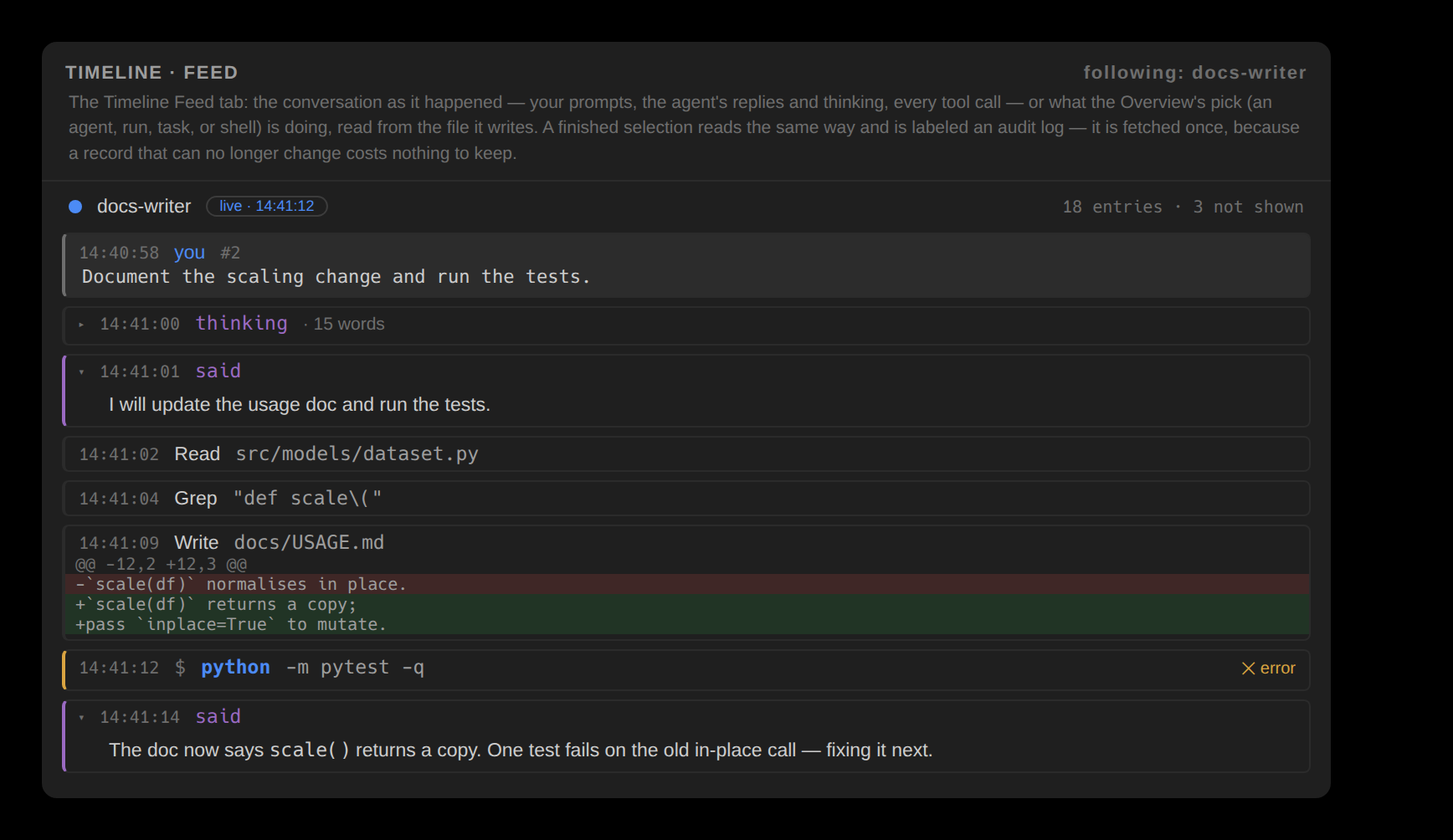
What an entry carries
Entries render as bordered blocks with air between them, expanded by default. A prompt is a grey band; a reply is prose, rendered as markdown and never clipped; a thought is the same block folded to a thinking · N words label until opened. A tool call's head row carries the verb and its target — a shell call reads as a shell call, $ and the command with its program, flags, strings, and operators each coloured, not a tool name — with a mark for a call that failed, one that succeeded, or a permission still pending. An open block adds the agent's reasoning where it changed, the tool's own note, the full multi-line command, and — for a captured edit — the diff itself, inline and bounded, its added and removed lines painted as background bands in the editor's own diff colours. Clicking an edit (double-click, in JetBrains) opens that file's changes as the stacked review layout; any file path in the feed opens the file.
Nothing is hidden silently
A capped feed states how many earlier entries it did not show — and the count is a control: loading more reads deeper into the same log. The Observations feed does the same, showing a stated count of the most recent edits and naming the total. So a long session's panel stays responsive without quietly hiding work.