Prompts
Prompts record what you asked for — the spine the rest of the record hangs on.
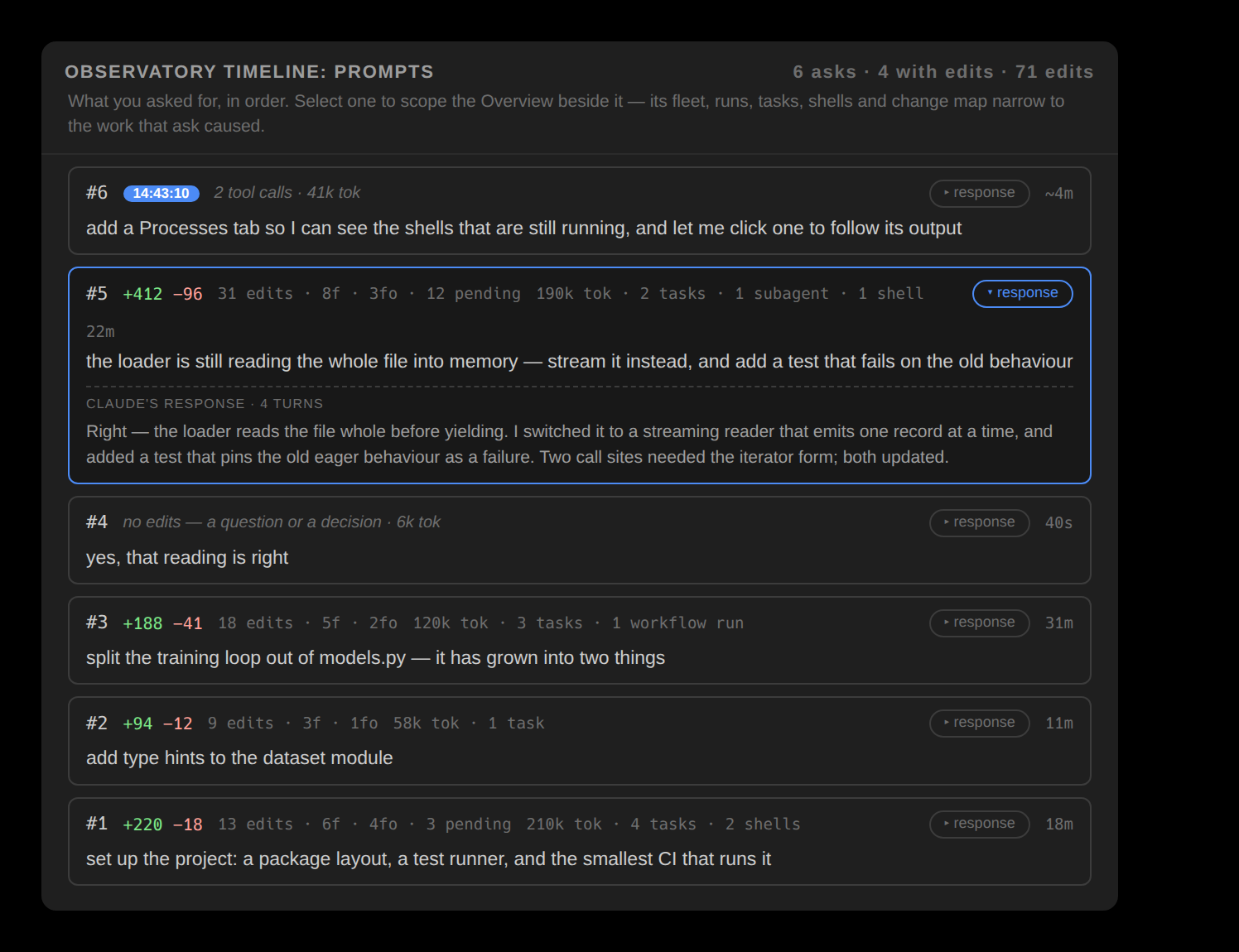
A prompt is the spine the rest of the record hangs on. It is one turn you wrote, together with everything the agent produced while answering it — and because it follows your side of the conversation, it is the one grouping that covers a session completely.
What a prompt covers
A prompt's window runs from that turn to the next one, and work belongs to the prompt that started it: a shell launched during prompt 4 remains prompt 4's even if it exits during prompt 7. Prompts are the only grouping ordered by your side of the conversation, and they are the scope the Prompts window sets over every other view.
There is one prompt selection, not one per surface: picking an ask on the nav bar's Prompt axis selects it in the Prompts list and scrolls it into view, and picking one in the list moves the axis.
Prompts vs tasks
Prompts and tasks answer different questions. Prompts follow your side of the conversation and cover the session completely, because every edit was made while answering something. Tasks follow the agent's own plan and cover it partially by design, because the plan does not account for every moment of work.
Because a prompt bounds a window of work, Rewind can put the tree back to the state it had before a given ask — reverting every unreviewed edit from that ask onward, not only the ones it produced.