The Overview panel
The Overview panel is the master-detail board: Sessions, Workers, Workflows, Tasks, and Processes.
The Overview is the editor-side equivalent of the terminal app's Observatory and Review tabs — a master-detail board over your worktree fleet, in a panel. Its left nav has five tabs; selecting a row fills the right side with that thing's change map.
The tabs
- Sessions — sessions grouped by workspace, the editor’s workspace first. Sessions belong to the machine where that workspace runs. Selecting a local session switches what the whole panel reviews.
- Workers — every running agent across the repository's worktrees, with a live phase and sparkline.
- Workflows — every multi-agent run, unfolding to its phases and agents.
- Tasks — the session's numbered task list, each with its strict span.
- Processes — the background shells the session launched.
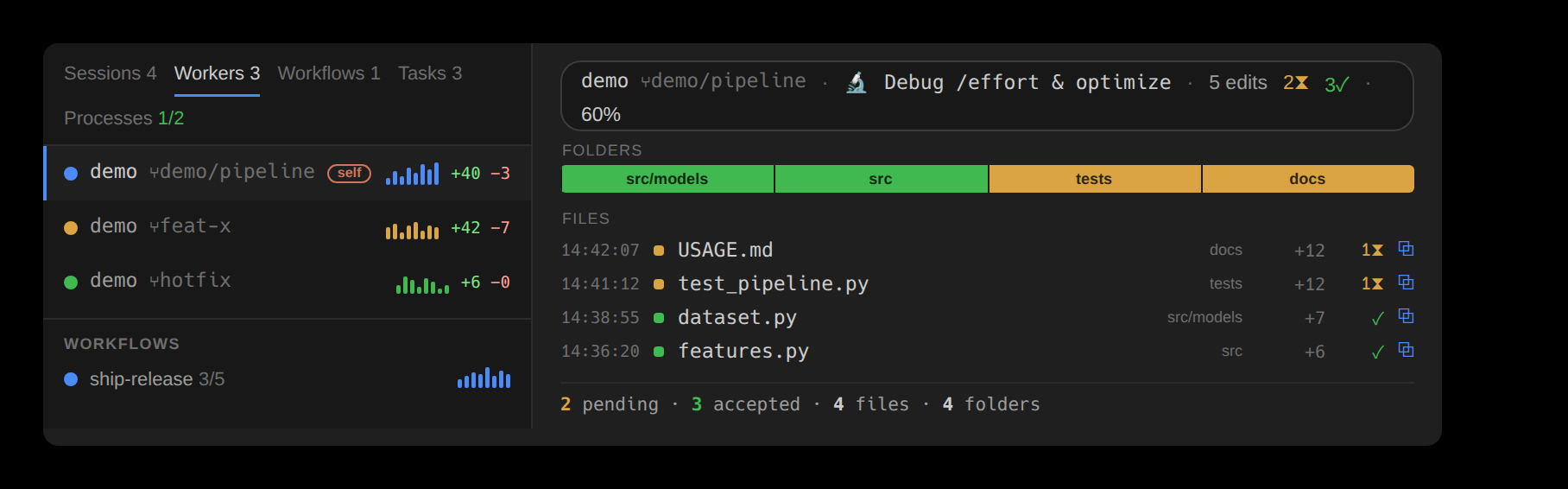
In both VS Code and JetBrains, each Sessions header shows the workspace and session count. This workspace comes first, then other workspaces by recent conversation activity; rows are newest first within each group. Active only retains live sessions, pending edits and the review pin. Sessions older than a week fold under an expandable header. Sessions in which nothing happened are not listed (Sessions and agents gives the rule).
The CLI lists sessions on the workspace host. Remote-SSH, devcontainer and Gateway windows therefore list that remote host’s sessions. Copied transcripts from another machine and bridge pointers without local conversation records are excluded. The editors do not gather other machines.
The change map
Selecting a row fills the right with its change map — the Folders strip, one tile per changed directory ranked by lines and colored by review status, and the churn-ranked Files ledger. A summary bar totals the scope, and selecting a row opens its feed in the Timeline's Feed tab, showing what it's doing (a session row also connects the tab, to read that session's conversation). Clicking a Folder tile steps the review nav to that folder's first pending edit; clicking a file opens its diff.
The panel's toolbar carries inline controls, in place rather than as a pop-up: a search field (matched as a substring, or as a regular expression the moment the text carries regex syntax), a filter dropdown for the file-type buckets and extensions, and a sort dropdown (four orders — newest, oldest, name A→Z, name Z→A). The filter button names what it is narrowing by and the sort button names the order in force, so the toolbar reads back its own state. Each file shows the exact time of its last change beside it.
The nav can show every tab side by side in one group — Sessions, Workers, Workflows, Tasks, and Processes as columns you can drag and fold — since what is happening is one question, not five.