The Timeline panel
The Timeline panel gathers Feed, Prompts, Observations and Actions in one place.
The Timeline panel presents the session as it unfolded — four tabs, one selector. Where the Overview organizes by worktree and change, the Timeline organizes by the conversation and the agent's own actions.
Feed
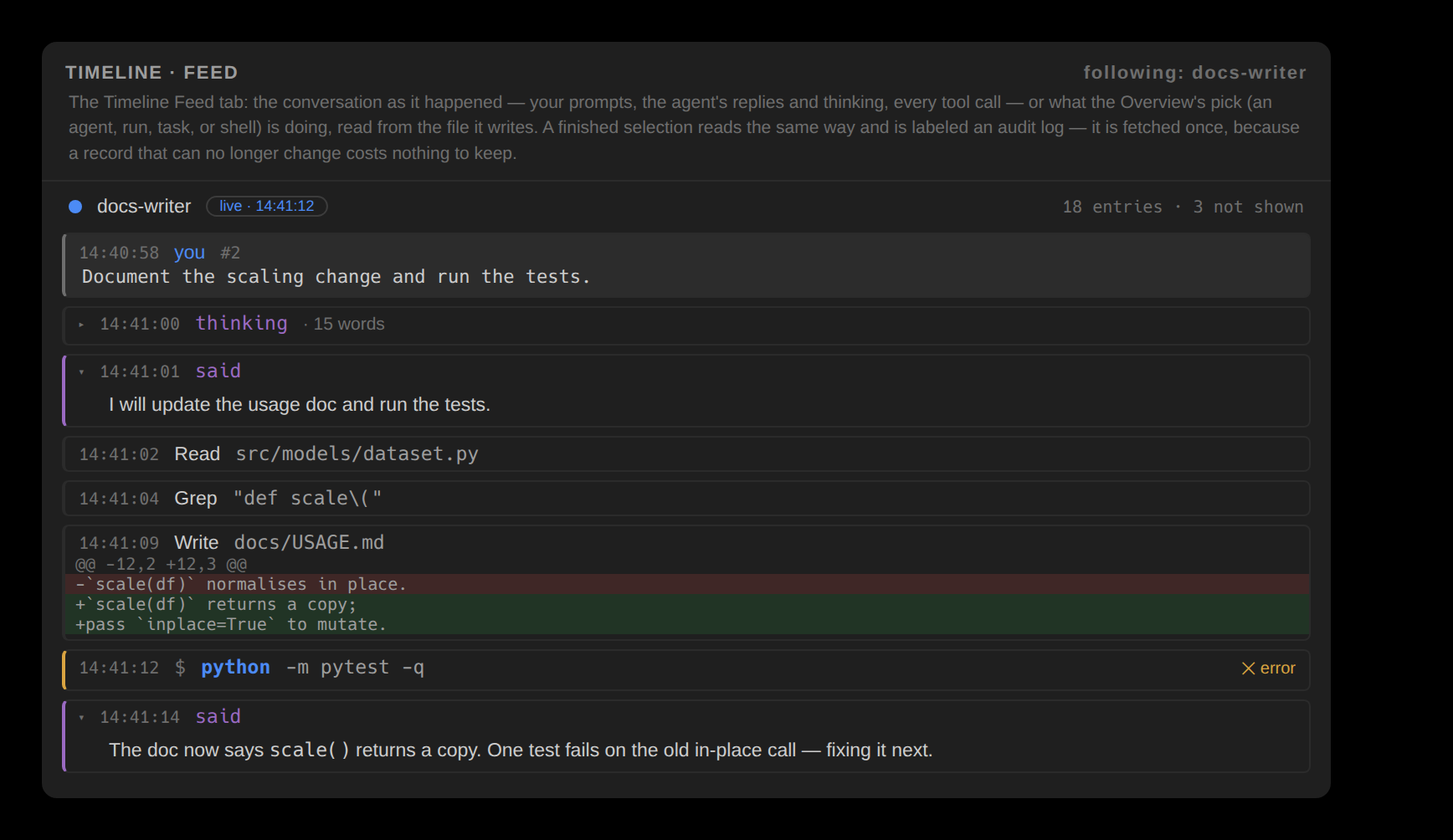
The Feed tab is the selected conversation as it happened: your prompts on grey bands, the agent's replies as prose, its thinking folded until you open it, every tool call with the diff it produced, and the permissions it asked for — read from the native transcript and followed as it grows. Picking a worker, a workflow run, a task or a background shell in the Overview points the same tab at that thing's own activity; when the source finishes, the same view becomes its audit log. Scrolling back holds that position and offers a ↓ newest control — shown only while the view is away from the tail — to return to it. New Session starts an agent through herdr. Review comments and quotes prepare a draft; an explicit Send submits it to a matching live pane.
Prompts
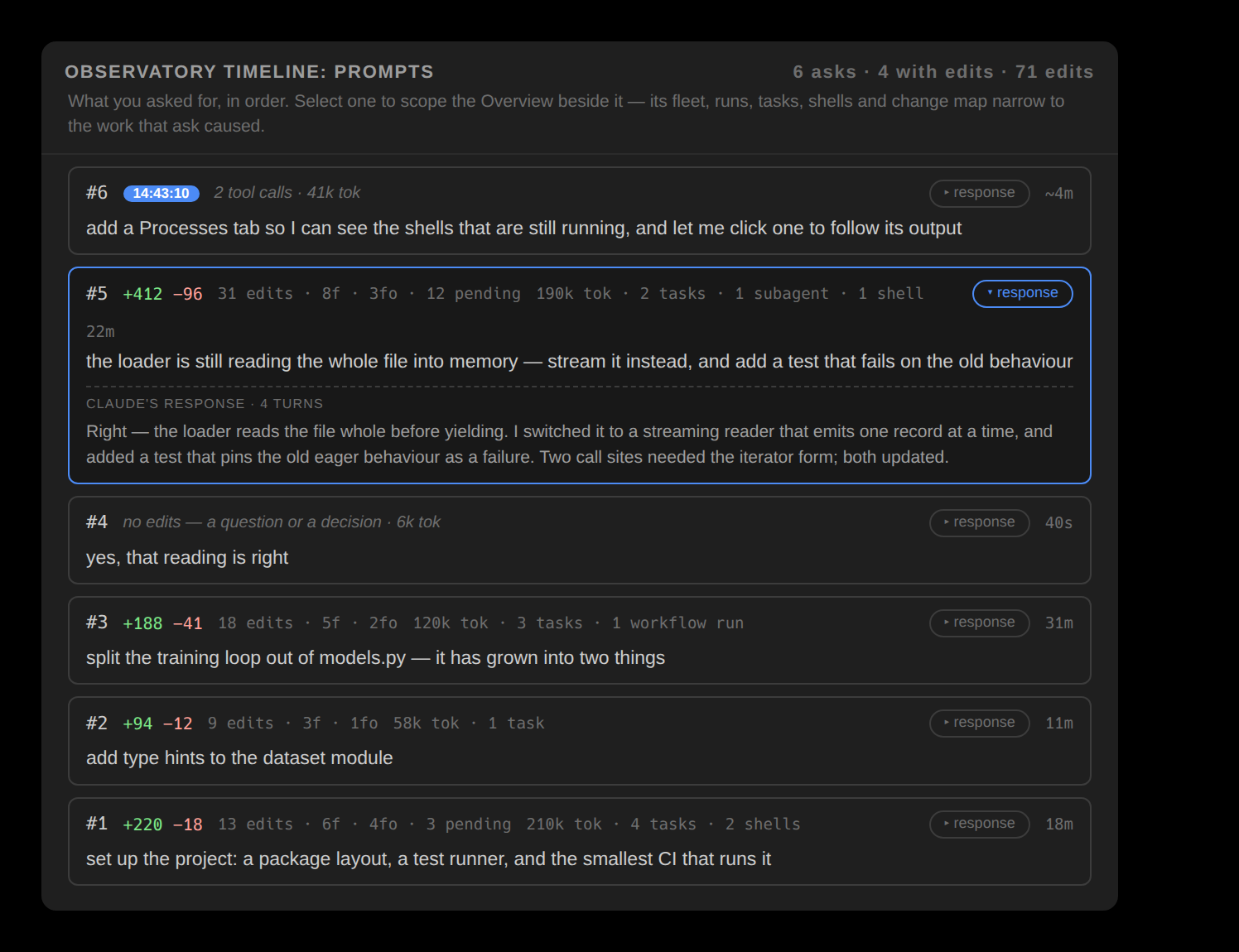
Prompts is one row per thing you asked, in order, each printed whole with its edits, files, tokens, and duration. Selecting a prompt scopes the Overview beside it — the fleet, the tasks, and the whole change map narrow to the work that prompt caused.
Observations
Observations pairs each edit with the reasoning the agent recorded near it, flags notable content (debug statements, possible secrets, large deletions), and names what shaped the session in its Context section — each entry labeled by whether the transcript proves it or the file is merely present.
Actions
Actions is the typed timeline of every tool call, grouped by kind, with low-signal categories collapsed and errors surfaced. It opens with any live conflicts and closes with the two audits — risk and egress.
The Timeline can show all four of Feed, Prompts, Observations and Actions side by side, and carries its own session selector above the tabs so moving between two live conversations is one click.