Tasks
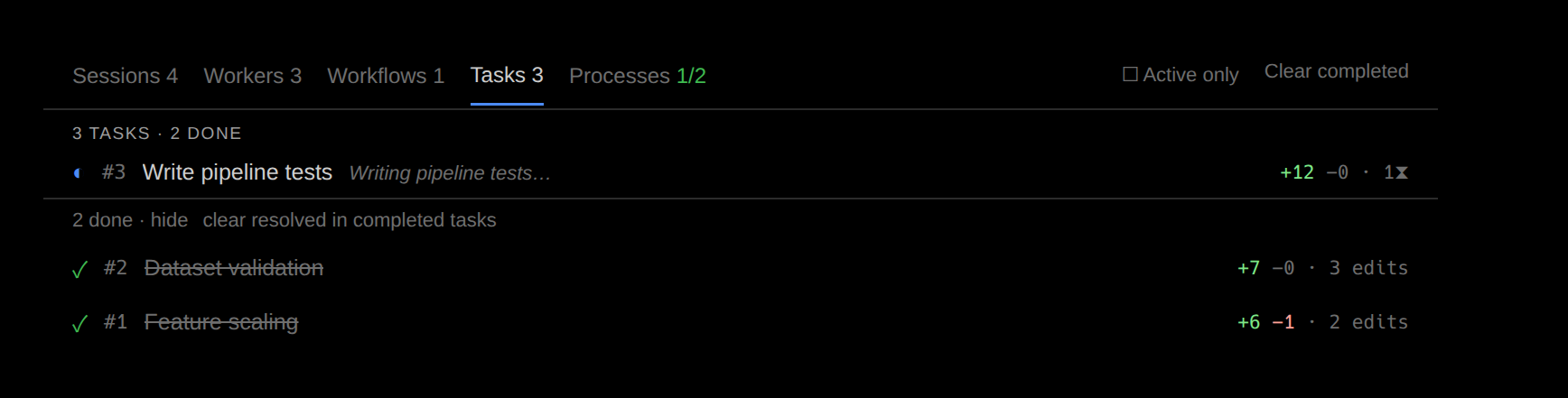
Tasks are the to-dos an agent set itself, with the edits captured under each one.
A task is one item of the plan the agent tracked for the session — an entry in its own numbered to-do list. Where prompts follow your side of the conversation, tasks follow the agent's plan, and reviewing by task lets you accept exactly the edits that produced one outcome.
Strict attribution
Attribution is strict: an edit belongs to a task only if it was captured while that task was in progress. Gaps are not filled, and an edit that fits no interval stays unassigned rather than being guessed onto the nearest item. The Tasks tab, the cross-agent task log, the analytics rollups, and the task-keep family of review commands all use this one model — so a number shown anywhere is the same number acted on everywhere.
Why coverage is partial
Tasks cover a session partially by design, because the plan does not account for every moment of work. The unassigned bucket says so rather than hiding it — an honest gap beats a confident guess. If you want complete coverage, review by prompt instead, since every edit was made while answering some ask.
The same strict spans drive task-keep, task-undo, and task-clear on the CLI and in both editors. Accepting a task accepts its strict span alone — never a neighbouring task's edits.